
Apple
iPhone 14
iOS 18
Browse via device topic
Help & support guides for your Apple iPhone 14
Select accessibility settings
You can select various accessibility settings for screen, sound and interaction making it easier to use the cell phone functions.
Step 1 of 9
Step 1 of 9
1. Find "Accessibility"
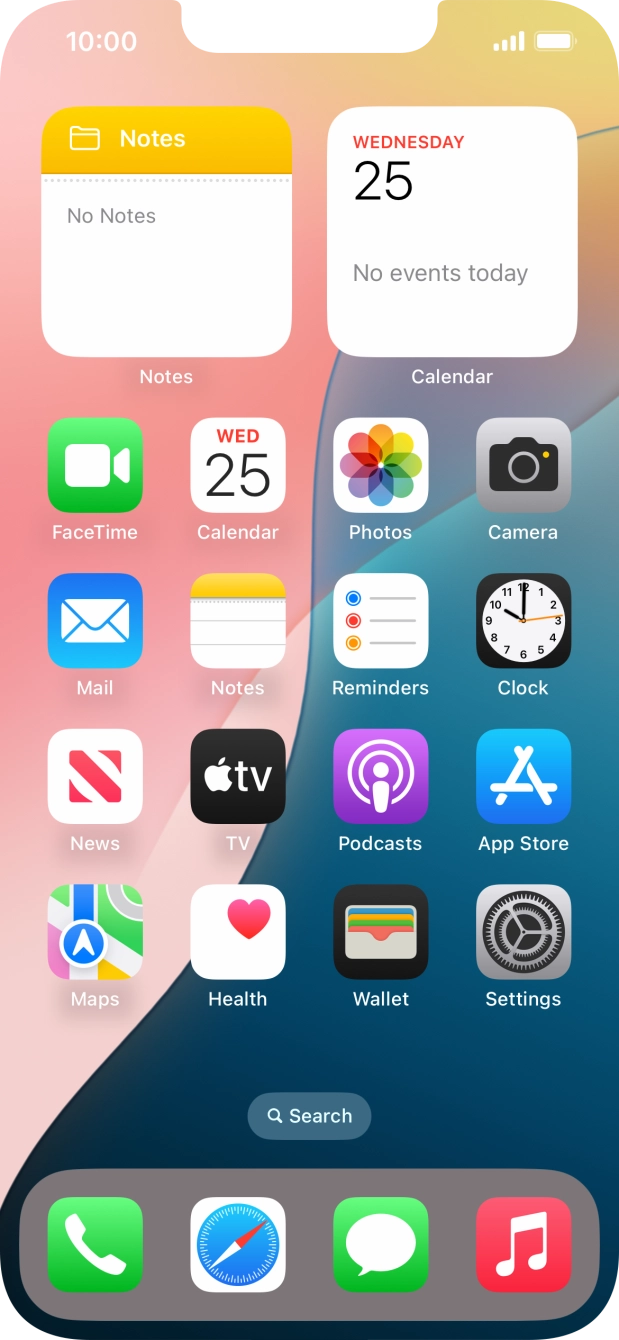
Press Settings.
- Press Settings.
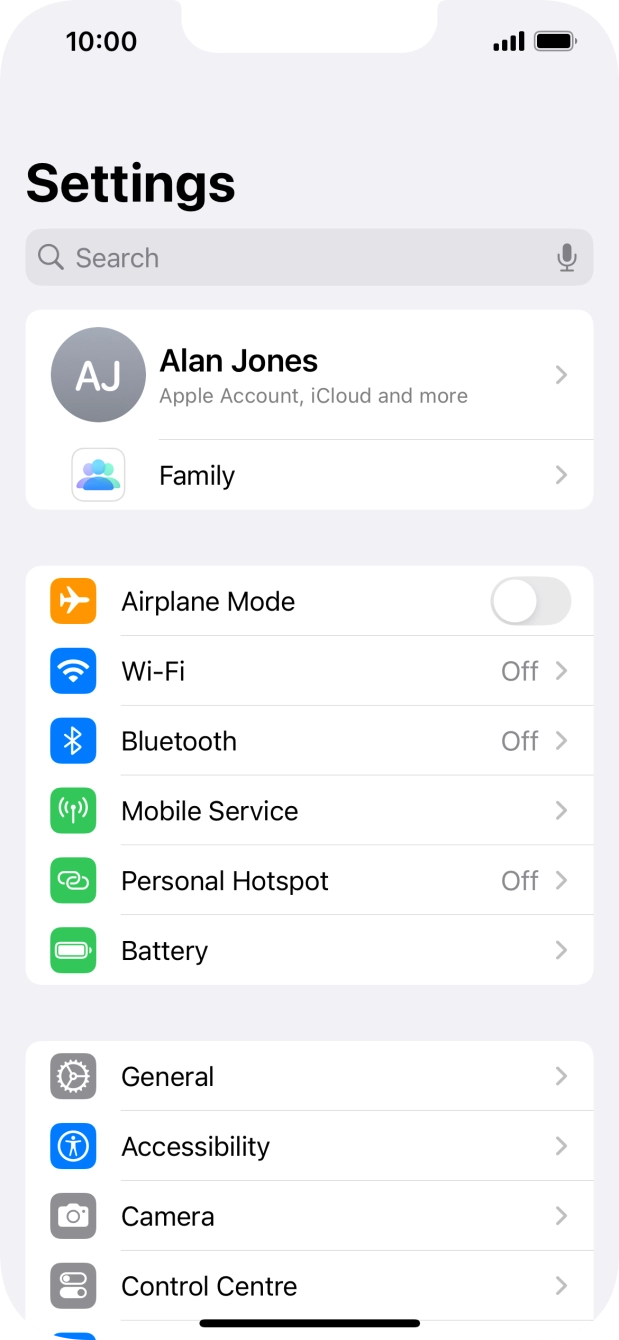
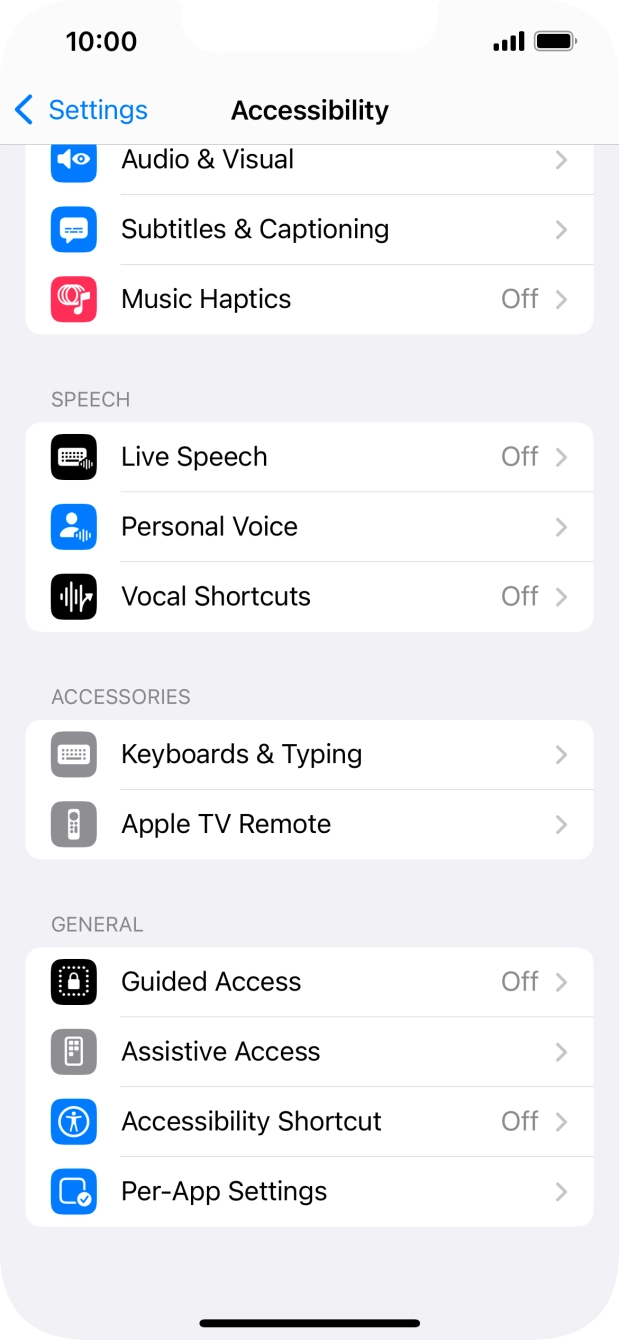
- Press Accessibility.
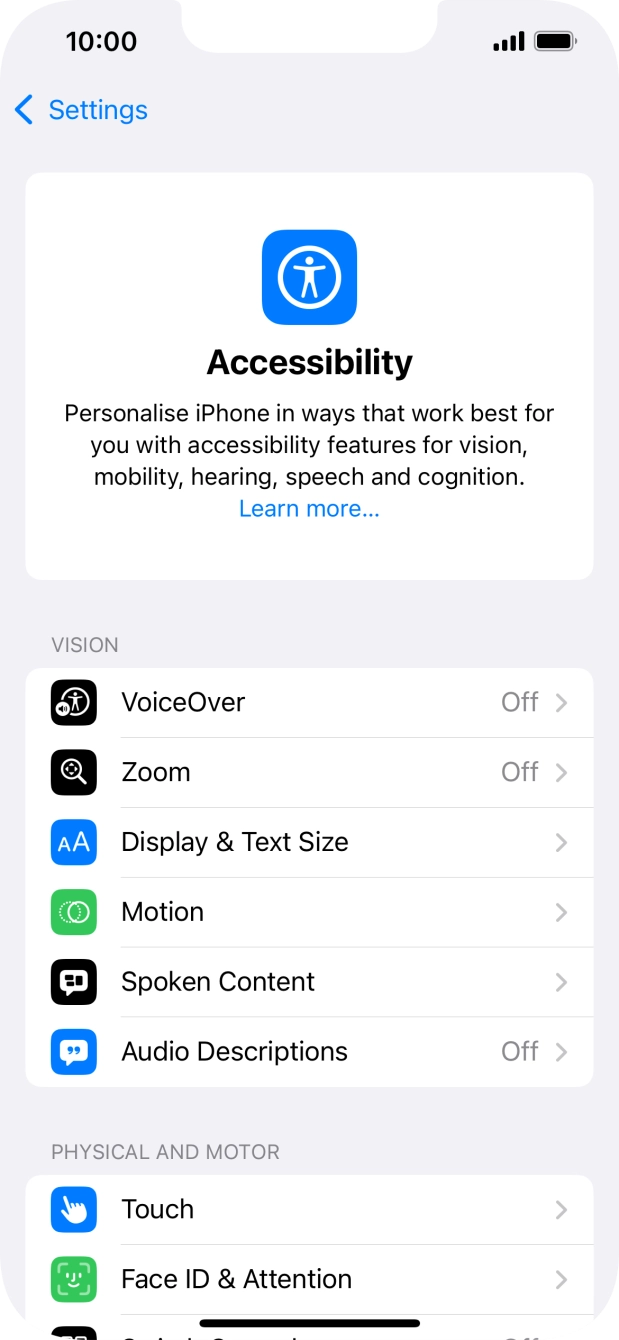
- Press the required category below "VISION" and follow the instructions on the screen to select the required settings.You can select different settings for screen customisation, e.g. change contrast, color and font size making it easier to use the cell phone screen.
- Press the required category below "PHYSICAL AND MOTOR" and follow the instructions on the screen to select the required settings.You can select different settings for phone interaction control, e.g. AssistiveTouch, Voice Control and Eye Tracking making it easier to navigate your cell phone.
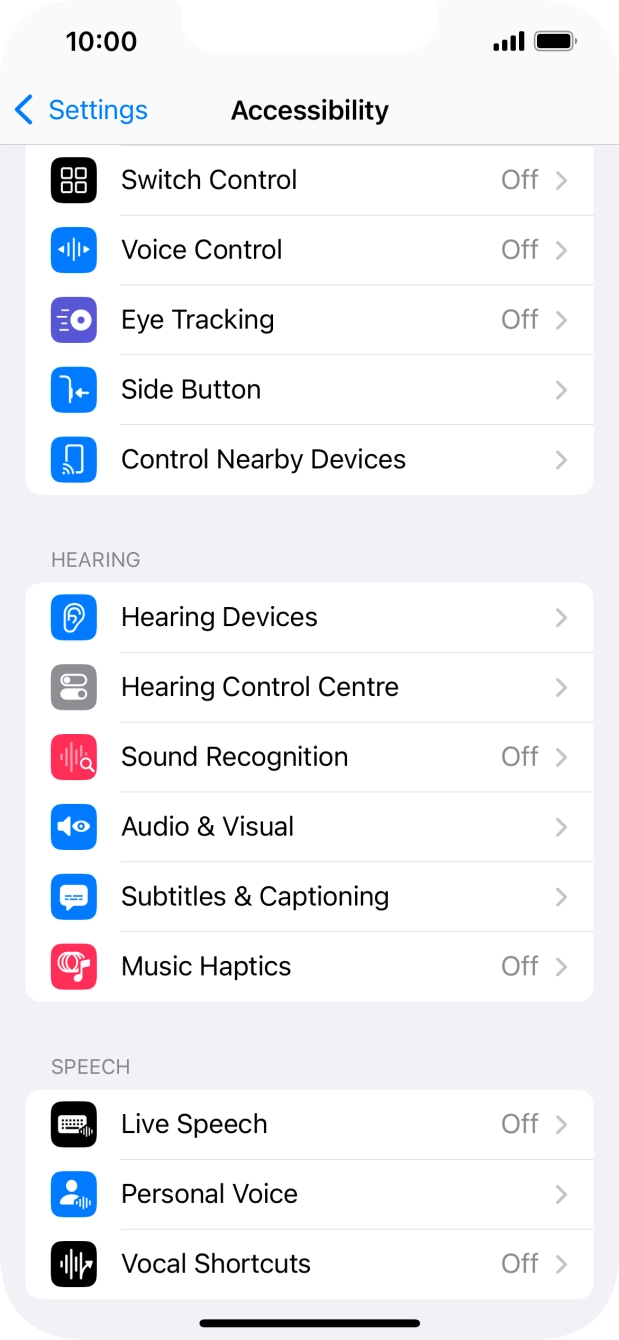
- Press the required category below "HEARING" and follow the instructions on the screen to select the required settings.You can select different settings for sound assistance on your cell phone, e.g. using of hearing aids with your cell phone, loud volume notification when using a headset and generation of subtitles during media playback.
- Press the required category below "SPEECH" and follow the instructions on the screen to select the required settings.You can select different spoken assistance settings, e.g. Live Speech and Personal Voice, which make it easier for people with speech difficulties to communicate with others e.g. during voice or video calls.
- Press the required category below "ACCESSORIES" and follow the instructions on the screen to select the required settings.
- Press the required category below "GENERAL" and follow the instructions on the screen to select the required settings.It is possible to select more accessibility settings, you can, e.g., turn the accessibility shortcut on or off, set up Guided Access and set up accessibility functions for certain apps.
- Slide your finger upwards starting from the bottom of the screen to return to the home screen.